🕒 Last Updated on June 24, 2026
Canva has completely transformed our approach to design. What once required expensive software, years of practice, and extensive editing skills is now done in minutes with Canva’s drag-and-drop interface. From students to small businesses and global brands, Canva has become a favorite tool for creating fast, professional, and attractive designs.
Canva Pro for FREE
But here’s the part most articles won’t tell you — just using Canva doesn’t make you money. Thousands of people upload templates every day. Most of them never sell even a single design. Canva is one of the easiest ways to start a digital product business with almost zero upfront cost. The difference isn’t Canva itself. It’s what you create, who you create it for, and how you position it. I’ve analyzed multiple Canva-based stores and freelance portfolios, and a clear pattern shows up: generic designs fail, niche-focused templates sell.
In this guide, we will explain in detail how you can sell designs on Canva and actually make money from it. If you’re starting from zero, this guide will save you months of trial and error.
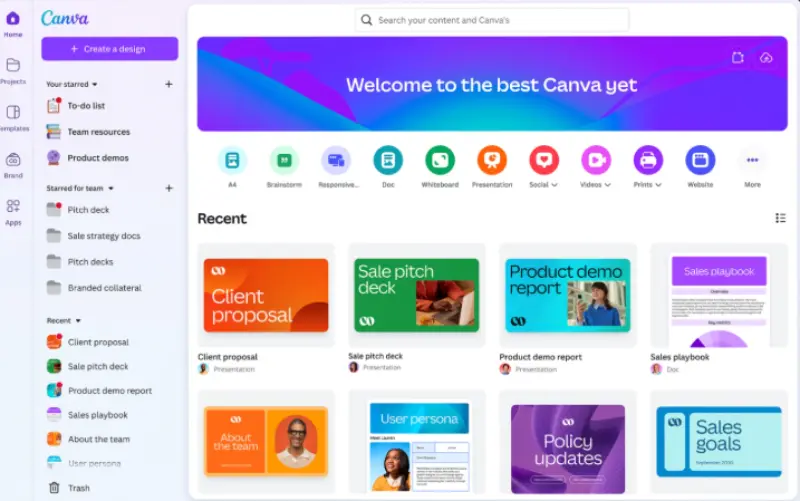
Understanding the Canva Ecosystem
Before delving further, it’s important to understand two aspects of the Canva ecosystem:
1. Canva as a design tool. Here, users create their own designs using free and pro elements. You can create unlimited templates, logos, presentations, or marketing materials for yourself or your clients.
2. Canva Marketplace (Canva Creators Program). Canva invites designers, photographers, and videographers to contribute directly to the platform. When someone uses your work, you earn royalties.
The real difference is this: selling on Canva means contributing to its marketplace. Selling outside of Canva means creating editable Canva templates and selling them on sites like Etsy or linking to your shop. Both methods work; you just have to choose the one that best suits your skills and goals.
Why Most People Fail to Make Money with Canva
Before getting into strategies, it’s important to understand why most people don’t make money with Canva.
The biggest mistake is treating Canva like a shortcut instead of a business tool.
Common reasons people fail:
- Creating random templates without a target audience
- Copying trending designs instead of solving a real need
- Uploading a few designs and expecting passive income
- Ignoring marketing completely
In reality, Canva income comes from consistency + positioning, not just design skills.
Ways to Make Money with Canva
a) Join the Canva Creator Program
If you want passive income, this is one of the easiest ways. However, approval into the Canva Creator program is competitive, and many applicants get rejected multiple times before getting accepted. Canva allows approved creators to upload templates, stock photos, illustrations, or short videos. When someone uses your content, you earn royalties. Also, royalties are not fixed. Earnings depend on how often your design is used inside Canva, which means income can fluctuate significantly month to month.
To succeed here, you need originality. Canva doesn’t accept duplicate work that looks like any other template. Instead, carve out your own unique niche – think bold Instagram Stories templates for beauty influencers, clean resumes for corporate professionals, or light-colored classroom posters for teachers. Honestly, this is where most beginners get stuck. They submit generic designs that look good but don’t stand out enough to get accepted.
Best ways to get accepted:
- Submit a portfolio that highlights originality and consistency.
- Follow Canva’s style guidelines and usability rules.
- Focus on high-demand categories (social media, business presentations, planners).
Canva makes design easy, but making money from it is still competitive. The platform lowers the barrier to entry, which also means more people are entering the market every day.
b) Sell Canva Templates Externally
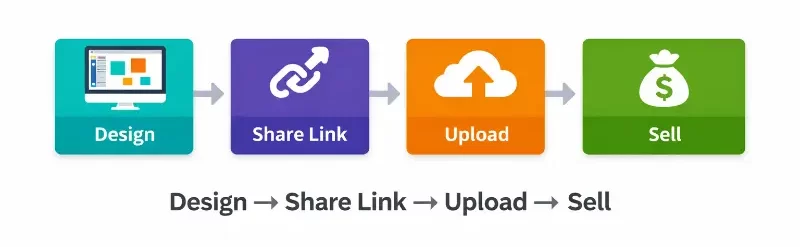
This is where most people find success. Instead of relying on Canva’s royalty system, you can sell your templates directly. You design in Canva, save a shareable link, and then sell it on a retail platform or on your own website. This is how most people build a Canva template business that generates consistent monthly income.
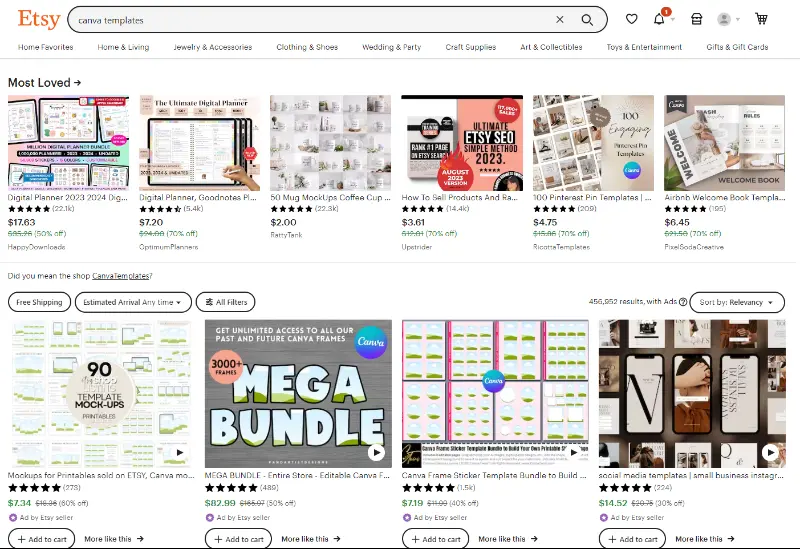
Some profitable templates include:
- Instagram packages (posts, stories, highlights)
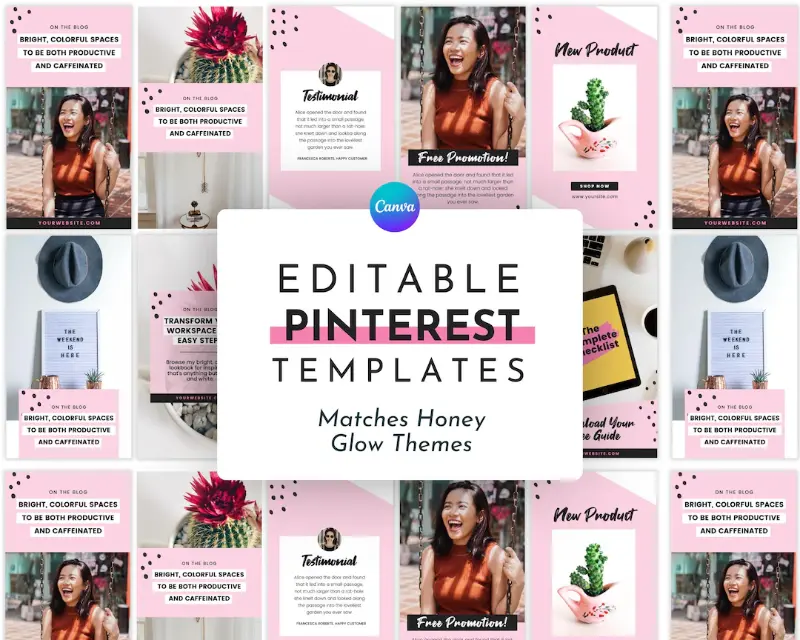
- Pinterest Pin packages
- eBook or workbook designs
- Resume and cover letter templates
- Business cards and branding kits
Here’s something most beginners miss early on.
A template called “Instagram post design” usually struggles because it’s too broad. There are thousands of similar listings competing for the same keyword.
But when the same idea is narrowed down — like “Instagram templates for real estate agents” or “Instagram posts for online fitness coaches” — the results are completely different.
The buyer is no longer browsing randomly. They’re searching with intent.
That small shift, from broad to specific, is often what separates templates that never sell from templates that bring in consistent monthly orders.
Where to sell:
- Etsy (Canva’s largest template platform)
- Creative Market (great for premium template buyers)
- Gumroad or Payhip (sell directly, earn more)
- Your own website (great for strengthening your brand long-term)
This is pure digital product revenue: design once, sell forever. It sounds simple, but this step is usually ignored. Most people upload a few templates and expect sales without testing niches or improving listings.
A typical workflow looks like this:
- Create a niche-specific template (for example, “real estate Instagram posts”)
- Generate a Canva share link
- Package it with a PDF containing access instructions
- Upload to Etsy with SEO-optimized title + preview images
Most successful sellers don’t rely on one product.
They build collections — 10 to 50 templates around a single niche.
In many cases, the first few templates won’t sell at all. That’s normal. Most successful sellers refine their designs based on what people are actually searching for, not what they personally like.
c) Provide Design Services with Canva
If you want to get paid directly for your time, you can use Canva to provide design services. Businesses, influencers, and trainers consistently need branded templates for social media, presentations, and marketing campaigns.
With Canva, you don’t need advanced Photoshop skills. You can charge for branded template packages, social media kits, or full presentations.
In the beginning, many Canva freelancers charge very low rates ($10–$20 per design). But as soon as you specialize (for example, working only with coaches or real estate agents), you can package services and charge significantly higher.
Clients are not paying for Canva usage — they are paying for speed, branding consistency, and results.
Where to Find Clients:
- Fiverr (quick gigs for social media kits)
- Upwork (business branding projects)
- LinkedIn (B2B contacts for presentations, reports, and guides)
- Your Own Website or Portfolio
Freelance Canva services are often more profitable than simply selling templates, especially if you can manage recurring work (like weekly social media content packages). I’ve seen people upload 50+ templates with zero sales, then switch to freelancing and start earning within weeks. The difference is direct client demand.
d) Teach Canva Skills
Another way to make money with Canva is by teaching. Canva has millions of users, but few know how to take full advantage of its features. You can build an audience through Canva training.
Ways to do this:
- Create a course on Udemy or Skillshare that teaches Canva basics or template design.
- Sell your course on Teachable or Thinkific.
- Publish tutorials on YouTube (and earn income through ads and affiliates).
If you love video content or want to build your brand, this option is ideal for you. However, this is not instant income. Most creators take months to build an audience before earning consistently from courses or YouTube.
What You Can Sell with Canva
The advantage of Canva is its versatility. Some of the most profitable categories include:
- Social media templates (Instagram carousels, TikTok covers, YouTube thumbnails, LinkedIn posts)
- Business branding kits (logos, flyers, presentations, brochures, brand boards)
- Digital products (daily planners, journals, workbooks, resumes, habit trackers, meal planners)
- Educational resources (teacher worksheets, lesson plans, student logs)
- Marketing materials (advertisements, presentations, infographics, reports, business proposals)
The more specific your niche, the easier it is to sell. Broad templates get lost in competition.
For example:
- “Instagram templates” → highly competitive.
- “Instagram templates for fitness coaches” → much better.
- “Instagram templates for female fitness coaches doing home workouts” → highly targeted and easier to sell.
This is not obvious when you start, but it matters a lot later. The more specific your niche, the easier it becomes to attract buyers who are already searching for exactly that.
Legal and Licensing Terms You Should Know
This is one of the most difficult aspects for beginners: understanding what you can and cannot sell with Canva.
- Free vs. Pro Elements: You can’t resell Canva Pro assets, only templates. You must create original creations with your own design, text, and layout.
- Don’t resell stock footage: Taking stock photos from Canva and selling them as your own is a quick way to get banned.
- License Terms: Canva provides a content license that allows you to use elements inside designs, but you cannot resell individual elements or stock assets on their own. If you’re selling Canva templates externally, make sure the buyer is editing the design themselves — not receiving extracted assets. Make sure you fully understand these terms before you start selling.
- Protect Your Work: Always add watermarks to previews, keep your master files private, and only provide editable links after purchase.
Following Canva’s licensing terms not only protects you legally, but also ensures that your Canva Creator store or account won’t be shut down.
How Much Can You Realistically Earn with Canva?
Earnings vary widely depending on your approach and consistency.
- Beginners: $0–$100/month (learning phase)
- Intermediate sellers: $300–$1,000/month
- Established sellers: $2,000+/month with strong niche positioning
The biggest difference is not design quality — it’s niche selection, consistency, and marketing effort.
How to Price Your Canva Designs?
Pricing is a challenge for many beginners. Pricing too low will make your work seem cheap. Pricing too high will scare away buyers.
- On Etsy/Marketplace: Most Canva templates sell for $5 to $25 per template.
- Packages: Selling a set of 20 Instagram posts for $25 is more profitable than selling a single template for $10.
- Freelance Services: Brand kits or entire presentations can cost $100 to $1,000 or more, depending on the size of the client.

The advantage of digital products is scalability. Even if a template costs $10, selling 100 copies each month can generate $1,000 in passive income.
One mistake beginners make is competing only on price. Lower pricing might get initial sales, but it also attracts low-quality buyers.
In many cases, better positioning and niche targeting can increase sales more than lowering your price.
A better approach is:
- Start with competitive pricing
- Build reviews and proof
- Gradually increase pricing as your store grows
Promote Your Canva Designs
You can create the best templates in the world, but if no one sees them, they won’t sell. That’s why marketing is just as important as design.
1. SEO for marketplaces. On Etsy, use keywords like “coach Instagram template” or “Canva minimalist resume template.” Titles, tags, and descriptions are crucial.
One important detail that’s easy to overlook is how buyers actually search.
Most people don’t type “Canva templates” into search. They use specific phrases like “real estate Instagram post template,” “minimalist resume Canva template,” or “Pinterest pins for bloggers.”
This means your titles and descriptions should match real search intent, not just describe the design. Understanding this alone can significantly improve visibility and clicks. Honestly, many beginners skip this part completely and rely only on uploading designs. That’s usually why they don’t see results.
2. Marketing on Pinterest. Pinterest is gold for Canva sellers. Share pins showcasing your templates with keywords like “free Canva resume” or “social media kit.” One effective strategy is to create “before vs after” visuals — showing a plain design transformed into a professional template. These perform extremely well on Pinterest and short-form video platforms.
3. Email list. Gain leads with free templates and then sell them premium packages.
4. Social media. Short TikTok or Instagram reels of before-and-after template changes quickly increase traffic and sales. Another underrated factor is thumbnail design. On platforms like Etsy, buyers decide within seconds based on preview images. A well-designed thumbnail can significantly increase clicks even if the template itself is similar to others.
Common Beginner Mistakes
- Misusing professional elements in templates
- Not choosing a specific theme (broad = too much competition)
- Underestimating the value of your work to the point of exhaustion
- Ignoring marketing and relying solely on marketplace traffic
Avoid these mistakes and you’ll grow faster than most new Canva sellers.
What Usually Doesn’t Work
Not every approach to selling Canva designs leads to results. In fact, many beginners follow strategies that look right on the surface but rarely work in practice.
For example, uploading random templates without a clear niche often leads to zero visibility. The same happens when people copy trending designs without understanding why those designs work.
Relying only on Canva’s Creator Program is another common trap. While it can generate income, it’s unpredictable and depends heavily on platform usage rather than your control.
Another issue is expecting passive income too early. Many sellers upload a few designs and wait, without improving their listings or promoting their work.
These approaches fail not because Canva doesn’t work, but because they don’t match how real buyers search, compare, and make purchasing decisions.
Success Stories and Case Studies
Instead of viral success stories, most Canva income builds gradually.
For example:
- A new Etsy seller might take 30–60 days to get their first sale
- Consistent uploads (20–50 templates) often lead to steady monthly income
- Stores with strong niches and branding can scale to $1,000–$5,000/month over time
The pattern is not overnight success — it’s volume + niche focus + consistency.
In many cases, sellers who upload only a handful of templates see little to no results. But those who consistently build out 30 or more designs within a focused niche tend to gain traction over time. The difference usually comes down to consistency and clarity, not just design quality.
How Long Does It Take to Make Money with Canva?
This is one of the most common questions — and the honest answer is: it depends on your approach.
- Freelancing → fastest (can earn within days/weeks)
- Selling templates → slower (1–3 months typically)
- Creator program → unpredictable and long-term
Most people who succeed treat Canva like a long-term asset, not a quick income trick.
What Makes a Canva Template Actually Sell?
Successful templates usually have three things:
- Clear use case (who it’s for)
- Strong visual hierarchy (easy to edit and read)
- Professional preview images (high click-through rate)
Most failed templates miss at least one of these.
The Future of Selling Designs on Canva
Opportunities are constantly growing. Businesses are promoting themselves online, educators are turning to digital resources, and content creators are constantly in need of templates. Canva is expanding into AI-powered design, presentations, and even websites, which means new products to sell.
If you start now, you can establish yourself before the market becomes even more competitive.
Frequently Asked Questions
Q1. Can you really make money with Canva?
Yes, but not instantly. Most people take a few weeks or months to start seeing consistent income, especially with templates.
Q2. Is Canva good for passive income?
It can be, especially with template sales and the Canva Creator program. However, initial effort is required to build assets.
Q3. Do I need Canva Pro to sell templates?
No, but Canva Pro gives access to more elements and flexibility, which can improve design quality.
Q4. Where can I sell Canva templates?
Popular platforms include Etsy, Gumroad, and your own website.
Q5. Is selling Canva templates saturated? It’s competitive, but not saturated. Most sellers fail because they target broad niches. Focusing on a specific audience or industry still offers strong opportunities.
Conclusion
Canva can absolutely become a real income stream — but only if you approach it like a business, not a shortcut. You can upload designs directly to Canva, sell editable templates on the marketplace, offer freelance services, or even teach Canva skills.
The key is simple: choose a strategy, define your scope, and be consistent. Don’t create random templates; solve specific problems for a specific audience. Do this, and you’ll find buyers who will come back again and again.
The people making consistent money are not the best designers. They are the ones who understand demand, pick a niche, and keep showing up with better, more targeted designs.
If you focus on solving specific problems instead of just creating designs, you’ll already be ahead of most beginners entering this space.
Most people quit before their templates start gaining traction. The ones who stay consistent are usually the ones who end up making it work.